Leave and HR, next to the work.
Leave, work from home, holidays and employee records for the whole company, in the same self-hosted install as your engineering work. HR and Sales get their own workspace, and the engineering side stays closed to them.
Leave, approvals and records in under two minutes.
Meera Iyer asks for a few days off. Priya Raman in HR works through the approval queue. The team calendar shows who is away, and employee records stay masked until someone reveals them.
Read the transcript
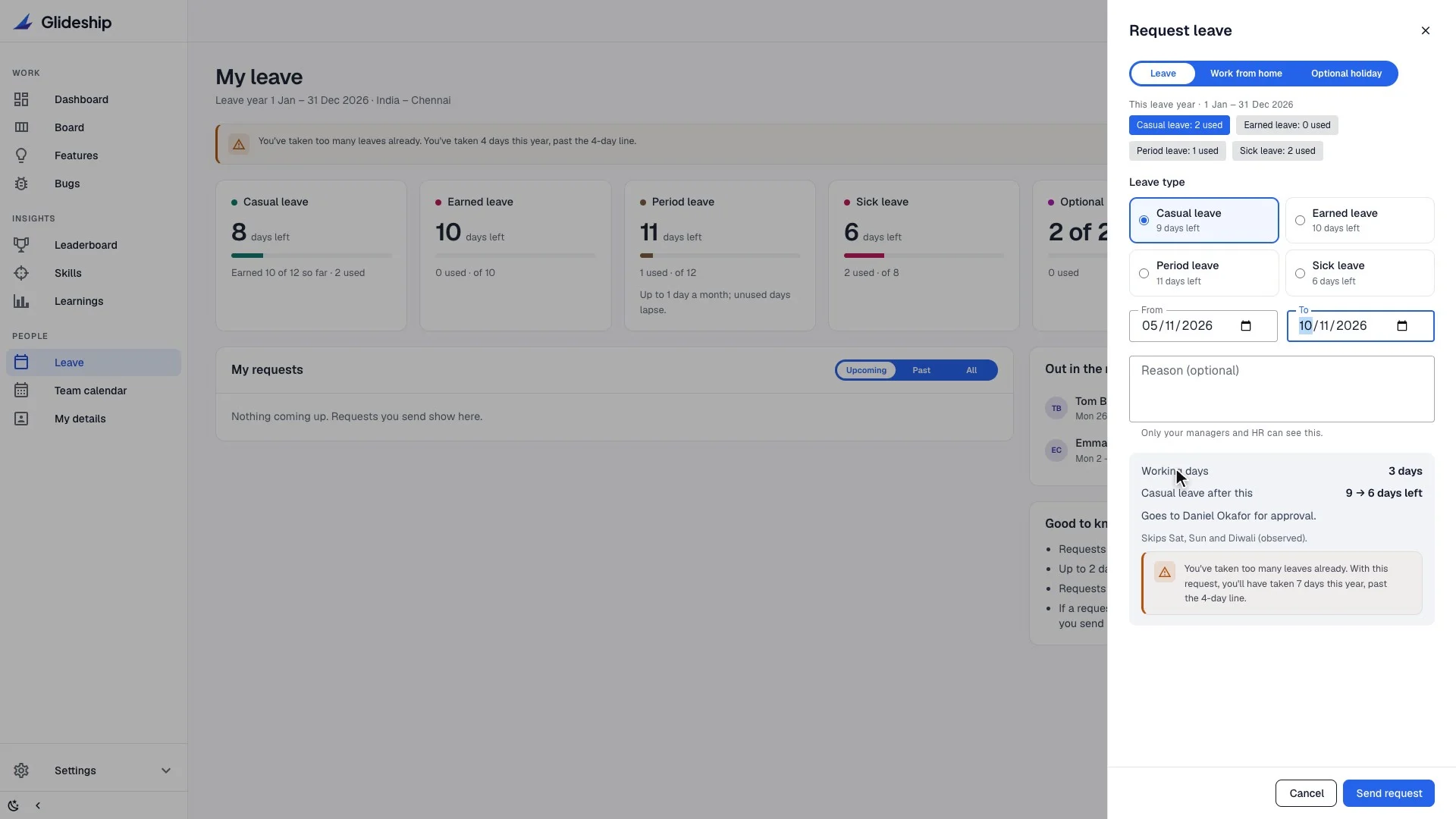
Glideship also covers the people side of the company. This is Meera's leave page, with her balance for each type of leave. She asks for a few days off. Before anything is sent, the panel counts working days, skips the weekend and the holiday, and shows who will approve it.
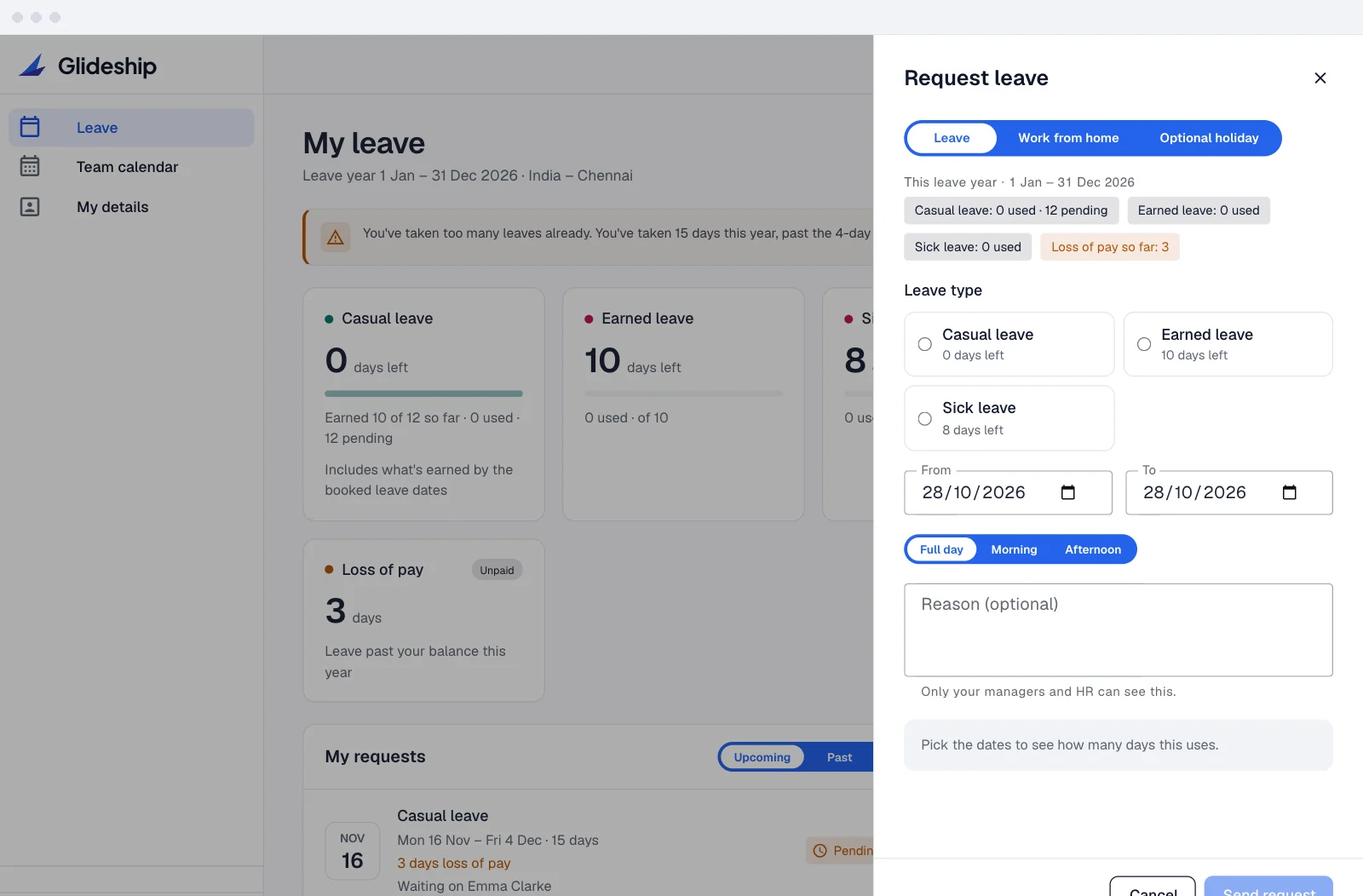
If a request goes past the balance, it is not refused. The extra days are shown as loss of pay, up front, before she sends it. Approvers see each request with the balance it leaves, any loss of pay, and who else is out on those days. Any of a person's managers can decide, and HR covers when none is available.
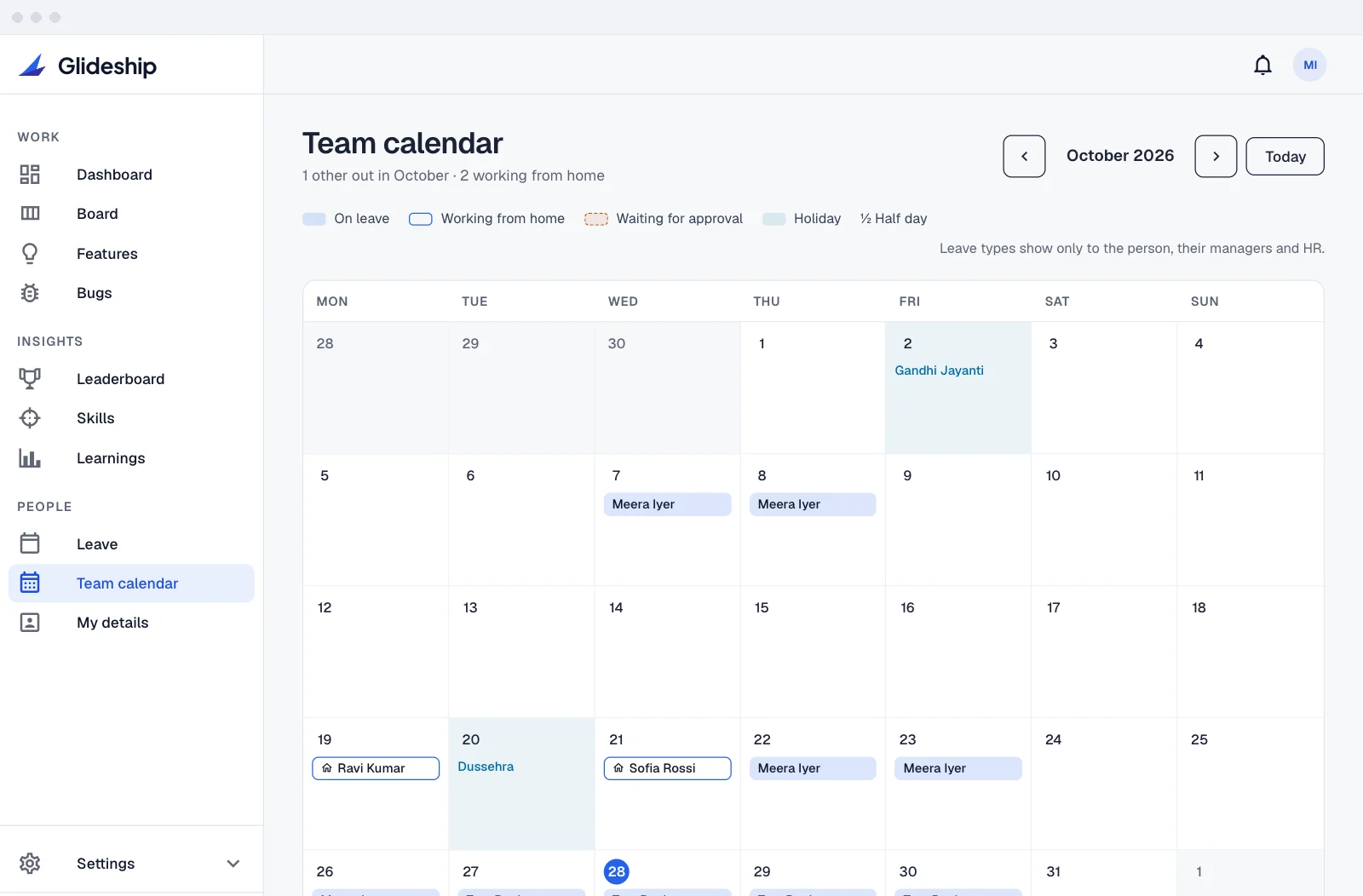
The team calendar shows who is on leave, who is working from home, and the public holidays. Leave types are only visible to the person, their managers and HR. Leave reports cover requests and balances for the whole organisation, and export to CSV. HR keeps employee records here.
Bank and ID numbers are encrypted and stay masked until someone reveals them. Every reveal is logged, and the employee can see who looked. Sales and HR staff only get this People workspace. The engineering screens are not just hidden from them. The server refuses those requests too.
Leave, work from home and employee records, in the same self-hosted place as the engineering work.
See the count before you send.
Pick leave, work from home or an optional holiday, then the dates. Glideship counts the working days, skips weekends and holidays, and names who will approve it, all before anything is sent.
- Half days
Take the morning or the afternoon off on a single day.
- Optional holidays
Each location can list optional holidays. People pick up to the number HR allows each year.
- Backdating, within limits
Forgot to log a sick day? Requests can go back a set number of days, and HR chooses how many.
- Remote means remote
People who always work from home don't need to ask, so they never show as working from home.
Past the balance is unpaid, not refused.
When a request goes past someone’s balance, the extra days become loss of pay. They see it before they send, and their approver sees it before they decide.
- Upfront or month by month
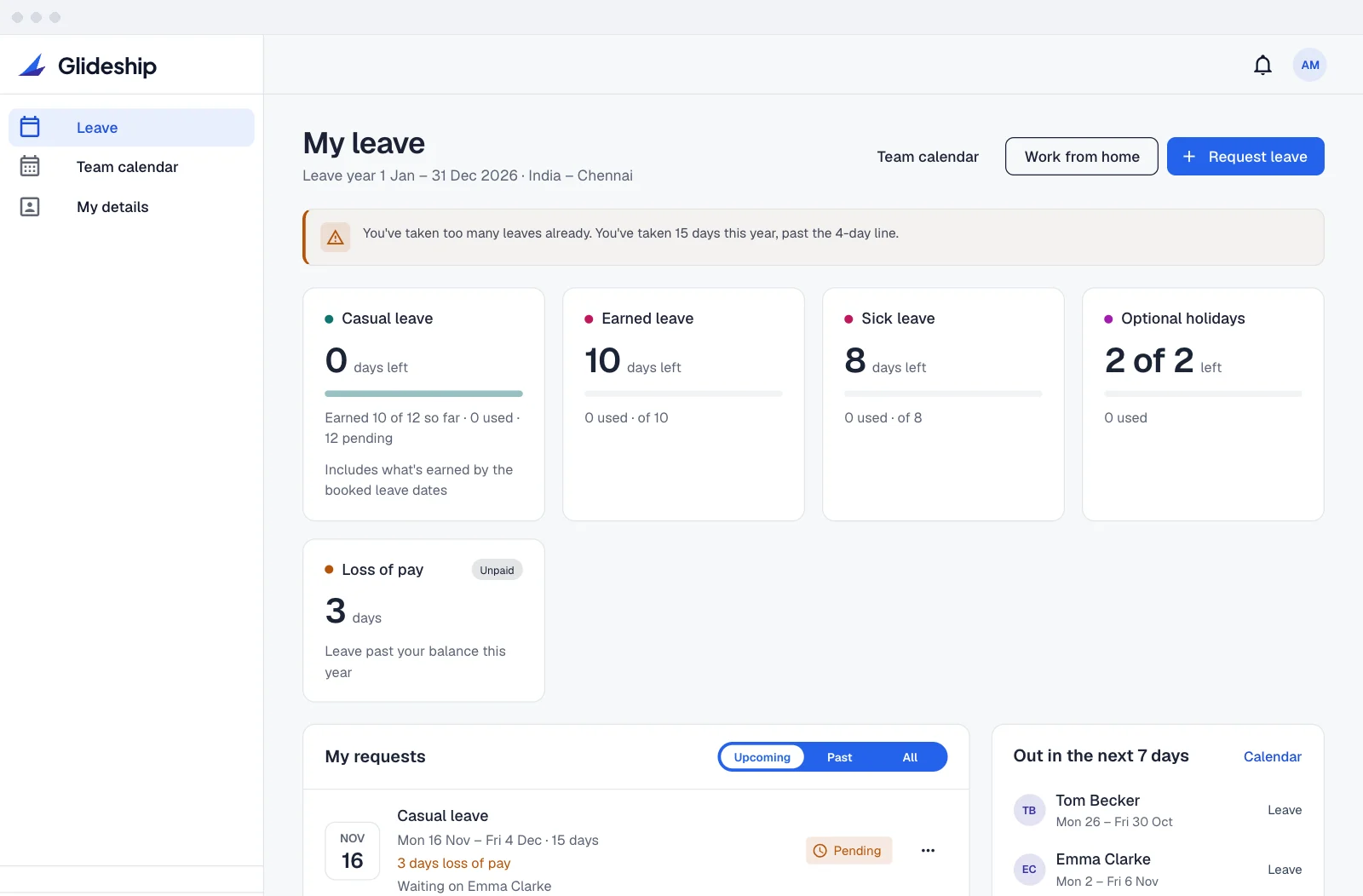
A leave type gives the year’s days on day one, or a share on the 1st of each month. 18 days a year is 1.5 a month.
- New joiners get their share
Prorated by day or by month, rounded the way you choose.
- Carry forward
Unused days roll into the next leave year, up to a limit you set per type. The rest lapse.
- A hard stop where you want one
Set a type, such as sick leave, to stop at its balance. People are told what is left and which other leave they can use.
- Recounted when things change
Cancel a request or add a holiday, and the days are counted again. Paid days go back to the balance.
Approve in the app, or straight from Slack.
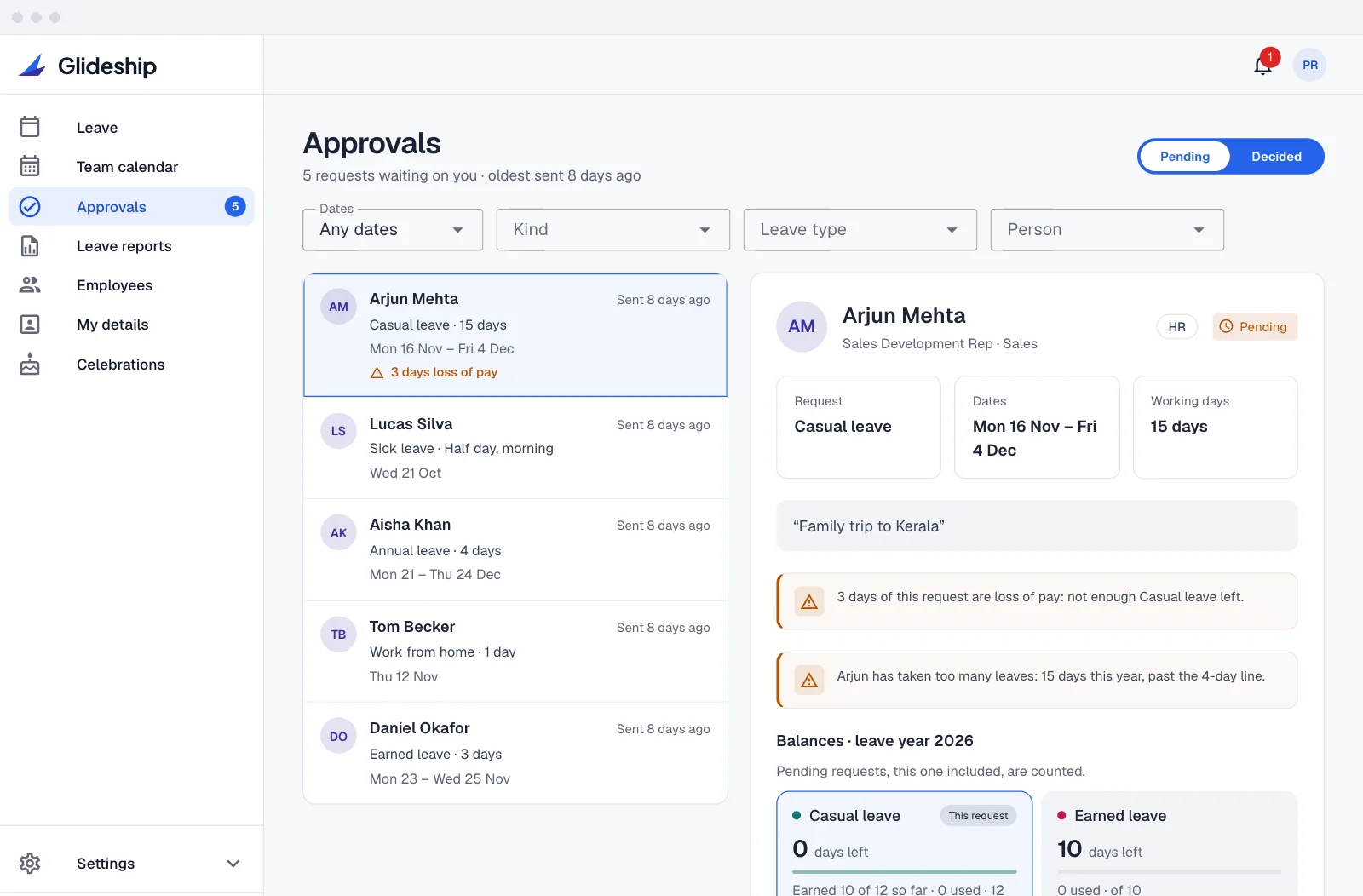
Requests go to the person’s reporting managers. Anyone can have more than one, and the first decision counts. If no manager is available, the request goes to HR.
- Approve and Reject in a Slack message
Approvers get the request with the person’s balances underneath. Rejecting asks for a short note. Once someone decides, every copy of the message shows who did.
- The facts on every request
The balance it leaves, any loss of pay, their last leave, and teammates already out on those days.
- Never your own
Nobody can approve their own request, in the app or in Slack.
- Work from home your way
Always ask, never ask, or approve automatically up to a number of days a month.
Slack approvals need your Slack workspace connected. Without it, approvals work in the app.
Each location keeps its own rules.
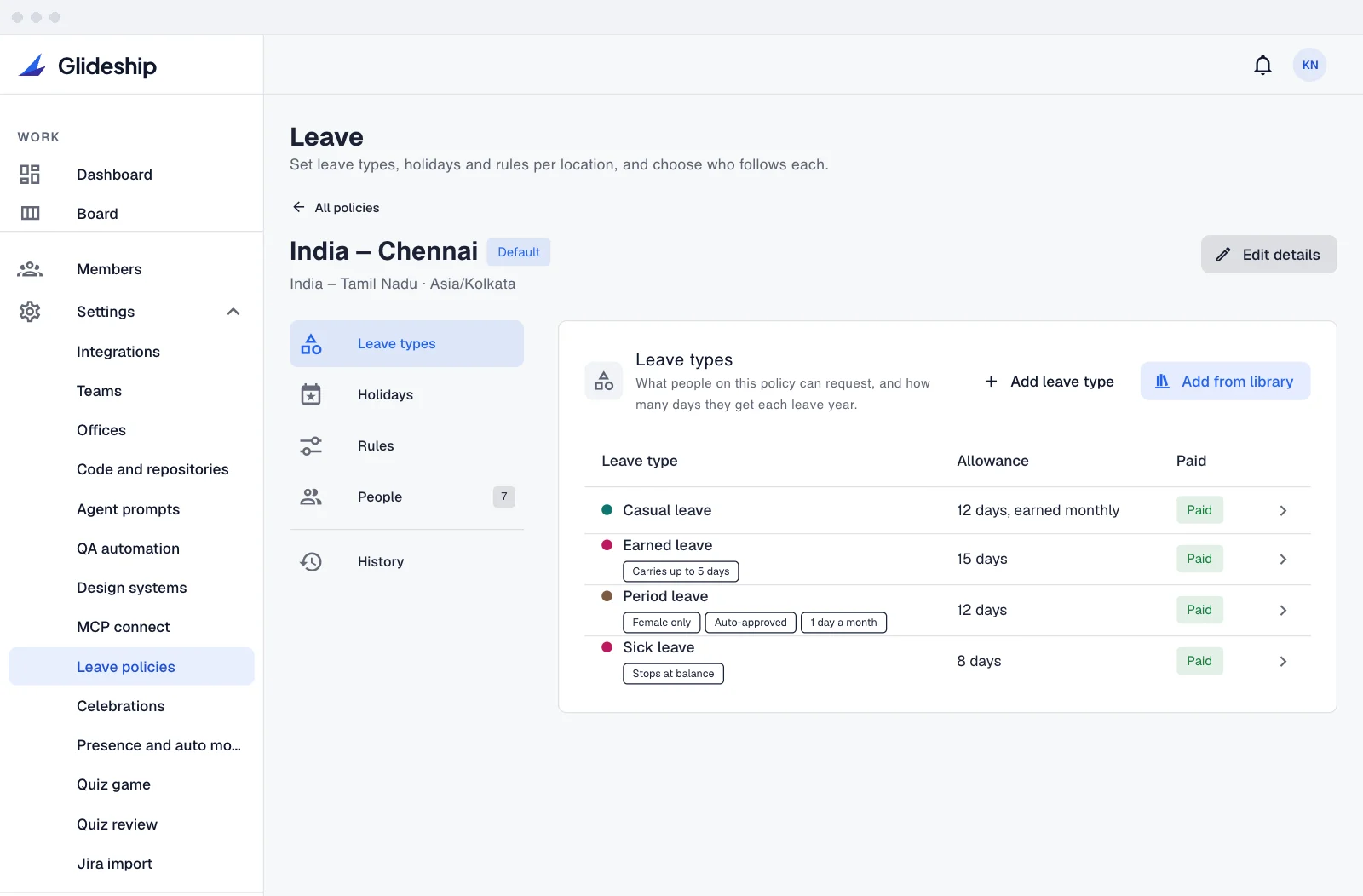
A leave policy holds a location’s leave types, holidays, working week, timezone and leave year. Each office can follow a policy, so when Arjun Mehta moves to another office, he moves onto its calendar.
- Public holidays, imported
Pick a country and region, import its public holidays, then rename, remove or mark some optional.
- Your leave types, set up once
Glideship ships with none. Define a type once and reuse it on any policy, with its own yearly allowance where needed.
- Limits and warnings
Cap a type per month, or set a heads-up line for unlimited leave so approvers see when someone is past it.
- A history of every change
Each edit to a policy is recorded with the old and new value.
One calendar for leave, home and holidays.
The team calendar shows who is on leave, who is working from home, and the holidays. Only the person, their managers and HR see the type of leave or the reason. Everyone else sees “on leave”.
- A morning post in Slack
Each working day, a short post in the channel you choose lists who is out or at home and when they are back. Names only, with no @mentions.
- Out of office in Google Calendar
Approved leave becomes an out-of-office event that declines new meetings. Days at home show as Home. Needs Google Workspace.
- Slack status, if they want it
People who connect their Slack account get “On leave” or “Working from home” as their status for the day. A status they set themselves is left alone.
- On the engineering dashboard
Time off in the next three weeks sits next to the work in flight, and approvers see how many requests are waiting.
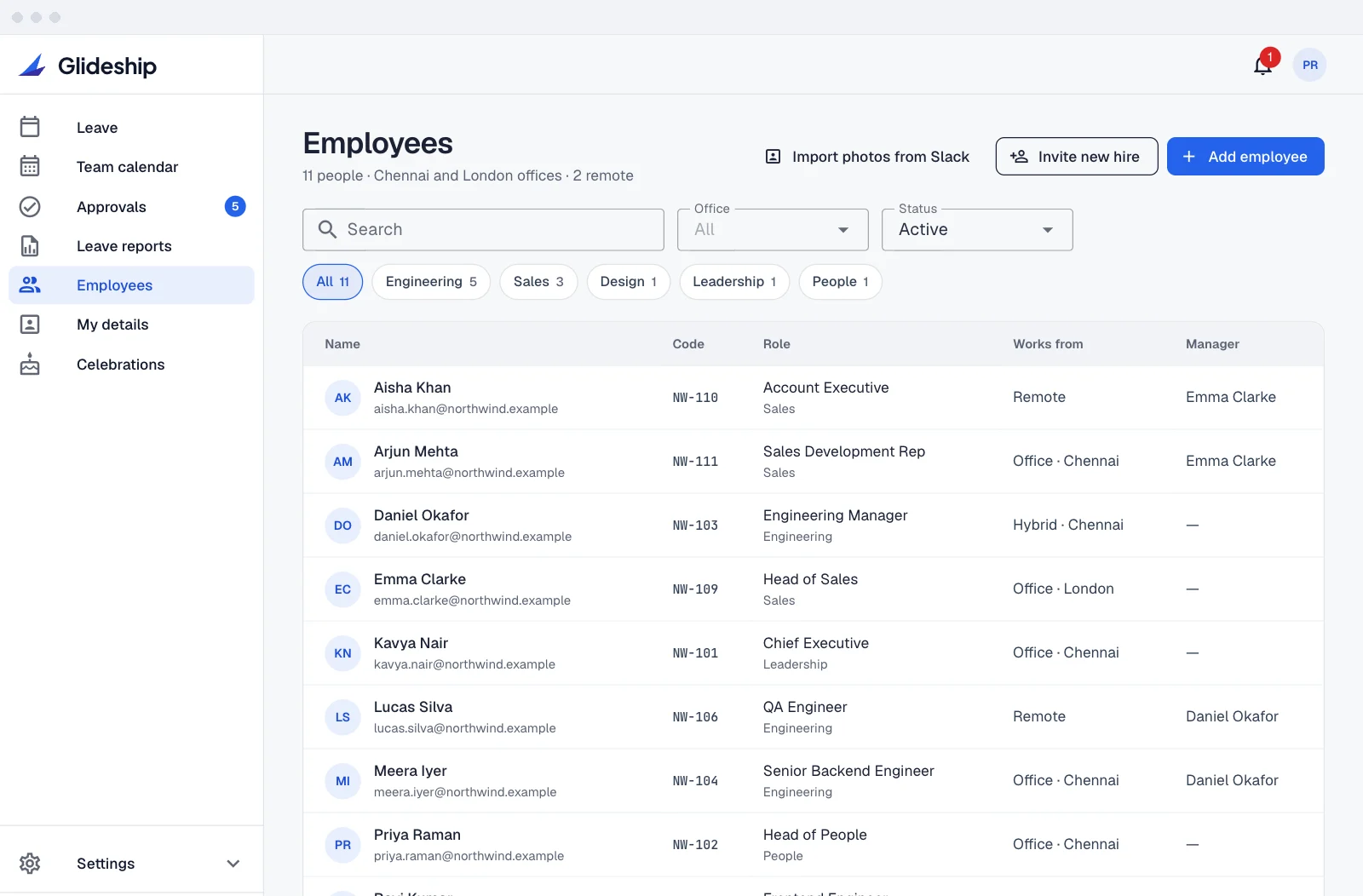
Records HR can keep, and people can check.
Work and personal details, managers, offices and documents for everyone at Northwind Labs. Bank and ID numbers and uploaded documents are encrypted with a separate HR key.
- Masked until revealed
Bank and ID numbers show only their last four characters. Reveal shows the full value, then hides it again after 30 seconds.
- Every look is logged
Each reveal, document view and change goes into an access log that can’t be edited or deleted. Emma Clarke can see who opened her own record.
- Told about changes
If someone’s bank or ID details change, they hear about it in the app and on Slack. This notice can’t be turned off.
- Celebrations, opt-out
Birthdays and work anniversaries can post to a Slack channel. Each person can turn their own off.
Each team sees its own side.
HR and Sales work in the People workspace. Engineers work in theirs. The server enforces the line, not just the menu.
Who sees what
- HR and Sales roles
They get leave, the team calendar and their own details. Requests for engineering screens are refused by the server.
- Leave stays private
Slack messages, calendar events, Slack status and the morning post never say the type of leave or the reason.
- Reports for HR
Summary, requests and balances for the whole company, each with a CSV export. Managers see their direct reports only.
Your notifications
- Mute what you don’t need
Each person can turn off Slack messages for requests to approve, and for updates on their own requests. In-app notices still arrive.
- Self-hosted
Records live in your own database, encrypted at rest.
Questions, answered.
Does Glideship plan work around people's leave?
Not today. Delivery forecasts and the Smart Assignment Agent work from skills and current workload, not leave. The engineering dashboard does show who is off in the next three weeks, so the team can see it next to the work in flight.
Can people outside engineering use Glideship?
Yes. Give someone the HR or Sales role and they get the People workspace only: leave, the team calendar and their own details. HR also handles approvals, policies and employee records. The engineering side is refused by the server, not just hidden.
What happens when someone asks for more leave than they have?
By default the request still goes through, and the extra days are marked as loss of pay. The person sees this before sending, and the approver sees it before deciding. HR can set a type, such as sick leave, to stop at its balance instead.
Who can see bank and ID numbers?
HR, the org owner, and the employee for their own record. Numbers stay masked until someone reveals them, and every reveal is written to an access log the employee can read.
Give the whole company one place.
One command. Needs Docker and Node.js 18 or later. Your code and data stay on your machine. npx glideship init